
.jpg?width=660&name=2025-bcs-blog-resized-7-Signs-Your-COI-Compliance-Process-Is-Breaking-Down-(Before-It-Costs-You).jpg)
If your team is still chasing certificates manually, these are the warning signs the process is already failing—and what to do about it.
It's 4:15 on a Thursday afternoon. Your team is two days from a board audit. Someone pulls the vendor compliance report and finds nine certificates flagged as expired—three of them for contractors currently working across active properties. Nobody noticed. The certificates lapsed weeks ago. The vendors kept showing up.
That's a process problem. Not a people problem.
Signs of a failing COI compliance process include administrative lag exceeding 15 hours per week, persistent vendor non-responsiveness, and "ghost" compliance where documents are collected but coverage gaps remain unverified. These structural failures lead to reactive risk management, where expired policies are typically only discovered after a loss occurs. Correcting these blind spots requires transitioning from manual document collection to automated tracking paired with verified insurance expertise.
What follows is a diagnostic. Seven specific warning signs that your current certificate of insurance tracking approach is no longer working—and what each sign typically costs.
Before diving in, here's what matters most.
What a Functioning COI Compliance Process Looks Like
A functional COI compliance process does four things consistently: collects certificates from every active vendor before work begins, reviews them against defined coverage requirements, tracks expiration dates with enough lead time to request renewals, and flags coverage gaps before a vendor steps on-site. That's the baseline. Not a stretch goal.
Most teams designed their process to hit that standard. Then their vendor count grew.
Why Volume Breaks Manual Compliance Programs
The gap between that baseline and most manual processes is a matter of scale, rather than effort. A team managing a few dozen vendors can reasonably track certificates in a shared drive or spreadsheet. A team managing hundreds cannot. Not without spending a disproportionate amount of time on administrative work that has no margin for error.
The question is whether the system scales to the number of vendors you actually manage, not whether your team is working hard enough.
Why "We Haven't Had a Claim" Isn't the Same as "We're Compliant"
Absence of claims is not evidence of compliance. It's evidence of luck, favorable conditions, or both. A vendor who has been working on your properties for three months with a lapsed general liability policy hasn't caused an incident—yet. The certificate in your system still shows the original policy period. Nobody flagged the renewal because nobody checked.
This is the most common version of false confidence in COI management. It surfaces at exactly the wrong moment.
Signs 1–4: The Operational Breakdown
These are the day-to-day friction points—visible, chronic, and usually dismissed as normal. They're not.
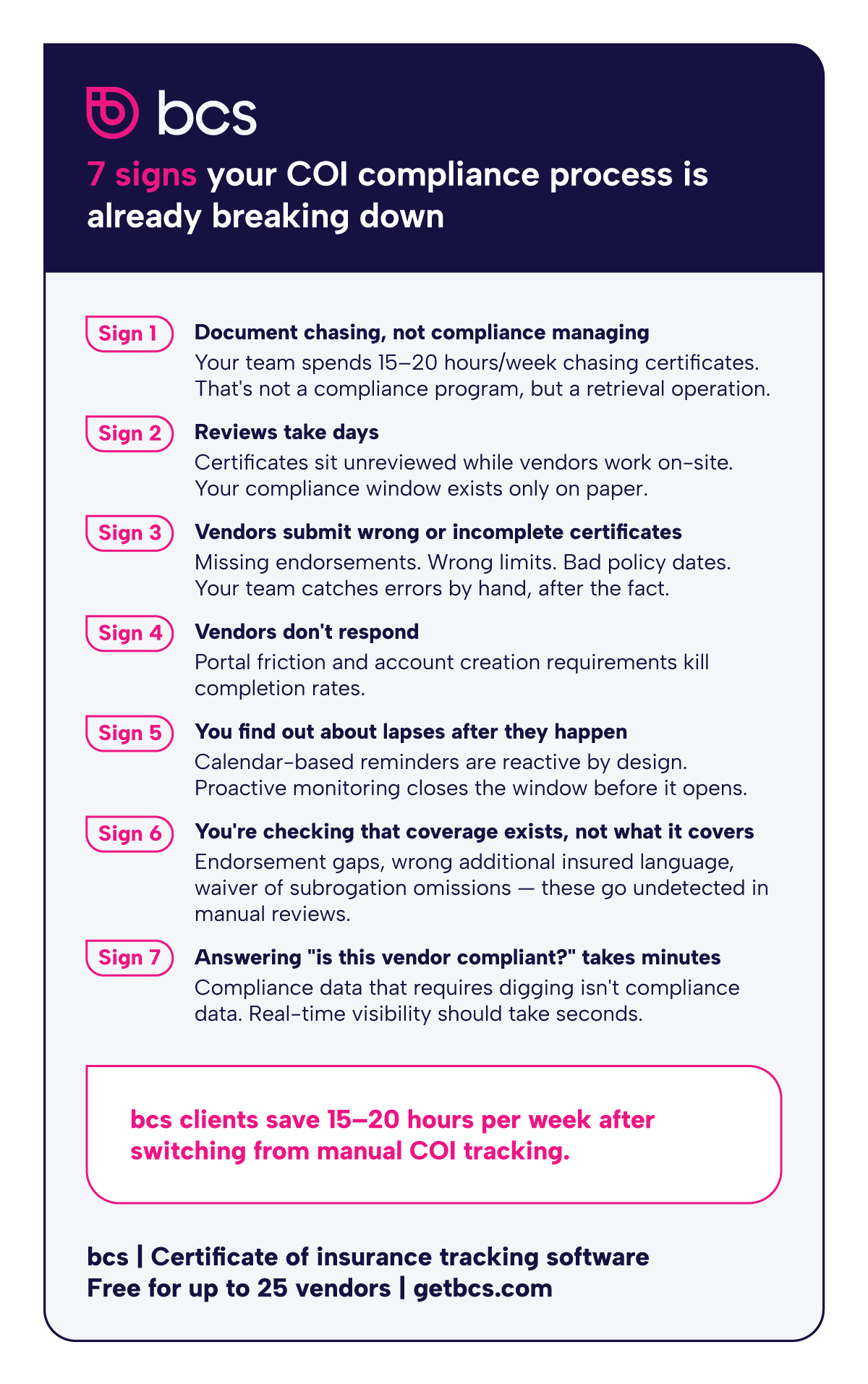
Sign 1 — Your Team Spends More Time Chasing Documents Than Reviewing Them
If the majority of your compliance team's weekly hours go toward sending reminder emails, following up on outstanding certificates, and re-requesting documents from vendors who didn't respond, you basically have a document retrieval program.
bcs clients report saving 15–20 hours per week after moving off manual tracking. That figure reflects real administrative hours. The teams getting those hours back aren't doing less compliance work. They're doing more of the right kind: reviewing coverage, catching gaps, managing exceptions.
Sign 2 — Certificate Reviews Take Days, Not Minutes
A certificate arrives by email, gets downloaded, and sits until someone with review authority looks at it, which might be that afternoon or might be three days later. In the meantime, the vendor may already be on-site.
A review cycle measured in days creates a compliance window that exists only on paper. If coverage requirements aren't verified before work begins, the process is merely creating documentation.
Sign 3 — Vendors Regularly Submit Incomplete or Incorrect Certificates
The ACORD 25 is a standard form. That doesn't mean it's filled out consistently. Missing additional insured endorsements, wrong policy periods, incorrect coverage limits, carrier name discrepancies — these are routine errors that require back-and-forth with the vendor, the broker, or both.
If your team is regularly returning certificates for corrections, the front-end submission process has no guardrails. Vendors submit whatever they have. Your team catches the problems after the fact, by hand.
Sign 4 — Vendors Complain About Your Submission Process (or Just Don't Respond)
Vendor non-response is almost never about non-compliance. It's almost always about friction. If submitting a certificate requires creating an account, navigating a portal, uploading files in a specific format, and waiting for a confirmation, vendors will put it off. Repeatedly.
The result looks like a vendor compliance problem. It's a process design problem. When the submission path is complicated, your compliance rate reflects how easy your process is, not how insured your vendors are.
Signs 5–7: The compliance breakdown
These are the less visible failure modes, the ones that don't generate daily friction but create real liability exposure.
Sign 5 — Your Team Finds Out About Lapses After the Fact
Calendar-based expiration reminders are better than nothing. But they create a reactive posture: the certificate expires, the reminder fires, someone reaches out to the vendor, the vendor gets a renewal, and you receive the updated certificate days or weeks later. During that window, the vendor may still be working.
Expiration dates are only one part of the problem. A policy can also be canceled, changed, or replaced before the certificate on file technically expires. If your process only checks certificates at collection and renewal, it can miss midterm changes that affect coverage.
A process that depends on expiration reminders is a process where lapses are expected—caught after they happen, rather than before.
Sign 6 — You're Accepting Certificates Without Verifying What the Policy Really Covers
A certificate of insurance is a summary document. It confirms that a policy exists. It does not guarantee that the policy terms match your coverage requirements: the limits, the endorsements, the additional insured language, the waiver of subrogation.
If your team reviews certificates by confirming the expiration date is in the future and the coverage types are listed, you may be accepting certificates that look compliant but aren't. Interpreting policy language accurately requires knowing what to look for. That's where manual review programs—even well-resourced ones—consistently fall short.
Sign 7 — You Can't Answer a Basic Compliance Question Without Digging Through Files
"Is vendor 47 currently compliant?" That question should take seconds. If the answer requires opening a shared drive, locating the vendor's certificate file, checking the policy dates, cross-referencing against your requirements, and confirming nothing has changed since the last review, then your compliance data isn't accessible enough to be useful.
Real-time compliance visibility isn't a mere luxury. It's what separates a functioning compliance program from a documentation archive.
What These Signs Are Truly Costing You
The labor cost is the most calculable. Teams spending 15–20 hours per week on manual certificate management are absorbed in administrative overhead, before accounting for any incidents or claims.
The liability exposure is harder to quantify and far more significant. When an uninsured or underinsured vendor causes an injury, property damage, or third-party claim, the coverage dispute that follows is expensive regardless of the outcome.
OSHA fines tied to safety violations with uninsured contractors can quickly escalate from five‑figure penalties per citation into six‑figure exposure when multiple serious or willful violations are involved. That's a known, documented exposure. Project delays and reputational costs that accompany a coverage dispute are harder to calculate and easier to prevent.
There's also a cost that never appears on any report: the work that doesn't get done because compliance staff are chasing documents. Strategic vendor evaluation, program improvement, and exception handling—those tasks get deferred when the team is consumed by administrative retrieval. Getting those hours back has compounding value a simple labor calculation won't capture.
If several of these signs are familiar, the issue isn't effort. Manual tracking and legacy tools weren't built for the volume and complexity most compliance programs now require.
When the Process Itself Is the Problem: What COI Tracking Software Does Differently
At a certain vendor volume, working harder doesn't solve manual tracking failures. The process becomes the constraint. COI tracking software addresses each breakdown point not by layering technology onto a failing workflow, but by replacing the structural elements that produce the failure modes.
That distinction matters. A better spreadsheet may help your team organize documents. A better reminder cadence may reduce some late renewals. But neither solves the core problem: manual COI tracking depends on people noticing, interpreting, following up, and updating records at exactly the right time, across every active vendor.
The operational improvements are measurable. Automated expiration tracking closes the reactive lapse window. Digital submission workflows that don't require vendor account creation increase completion rates. System-side coverage verification reduces the manual review burden on your team.
The compliance improvements are structural. When the system tracks expiration dates, flags approaching renewals, and initiates vendor outreach automatically, the team's role shifts from document retrieval to exception management. That's a better use of experienced professionals' time, and a more defensible compliance posture.
How bcs Resolves Each Breakdown Point
Teams consuming 15–20 hours a week on document chasing often have a network problem as much as a process one. bcs' 78,000+ pre-vetted vendor network means many new vendors are already in the system—existing certificates, existing compliance history—so onboarding doesn't restart from zero.
Certificate review speed is a different problem. bcs' AI-powered OCR returns color-coded compliance feedback in approximately 30 seconds. Not a queue. Not a shared inbox sitting unreviewed until Thursday.
Vendor non-response is almost always a friction problem. bcs vendors submit certificates through a direct link—no account creation required, no portal navigation. The path is short enough that most vendors complete it without a follow-up.
RiskBot AI—bcs's autonomous compliance agent, launched in March 2025—addresses the reactive posture that makes Sign 5 so costly. It monitors vendor status, surfaces upcoming expirations, and initiates renewal workflows without waiting for a human trigger. That's the difference between finding out about a lapse and preventing one from going undetected.
The policy language gap is where bcs' US-based licensed insurance professionals become the differentiator. These are certified risk managers who understand endorsement language, additional insured requirements, and state-specific workers' comp rules—not a support queue staffed by generalists. That expertise is included at no extra cost and available in English, Spanish, Portuguese, and French.
Real-time compliance status is built into the platform. bcs' 95% client retention rate means it holds up in practice, not just on a demo. Vendor status is current, searchable, and accessible without reconciling a spreadsheet.
Stop finding expired certificates after the fact. Try bcs free—track up to 25 vendors at no cost, no credit card required. Start freemium.
Managing a large or complex vendor program? Schedule a demo to see how bcs handles certificate tracking at scale—including multi-location portfolios, construction projects with layered subcontractor tiers, and programs with specialized coverage requirements.
Frequently Asked Questions